EICAS Ref
Your manuals, cross-referenced
Everything your own manuals say about an EICAS message, on one page: the QRH checklist with landing flaps and speed, MEL dispatch conditions, CDL items, PI-QRH performance, the FCOM system description and FCTM guidance. Cross-referenced and offline on iPhone and iPad.
Designed for Boeing EICAS aircraft: 747, 757, 767, 777 and 787. Tested with 757, 767 and 777 manuals so far.
iPhone · iPad
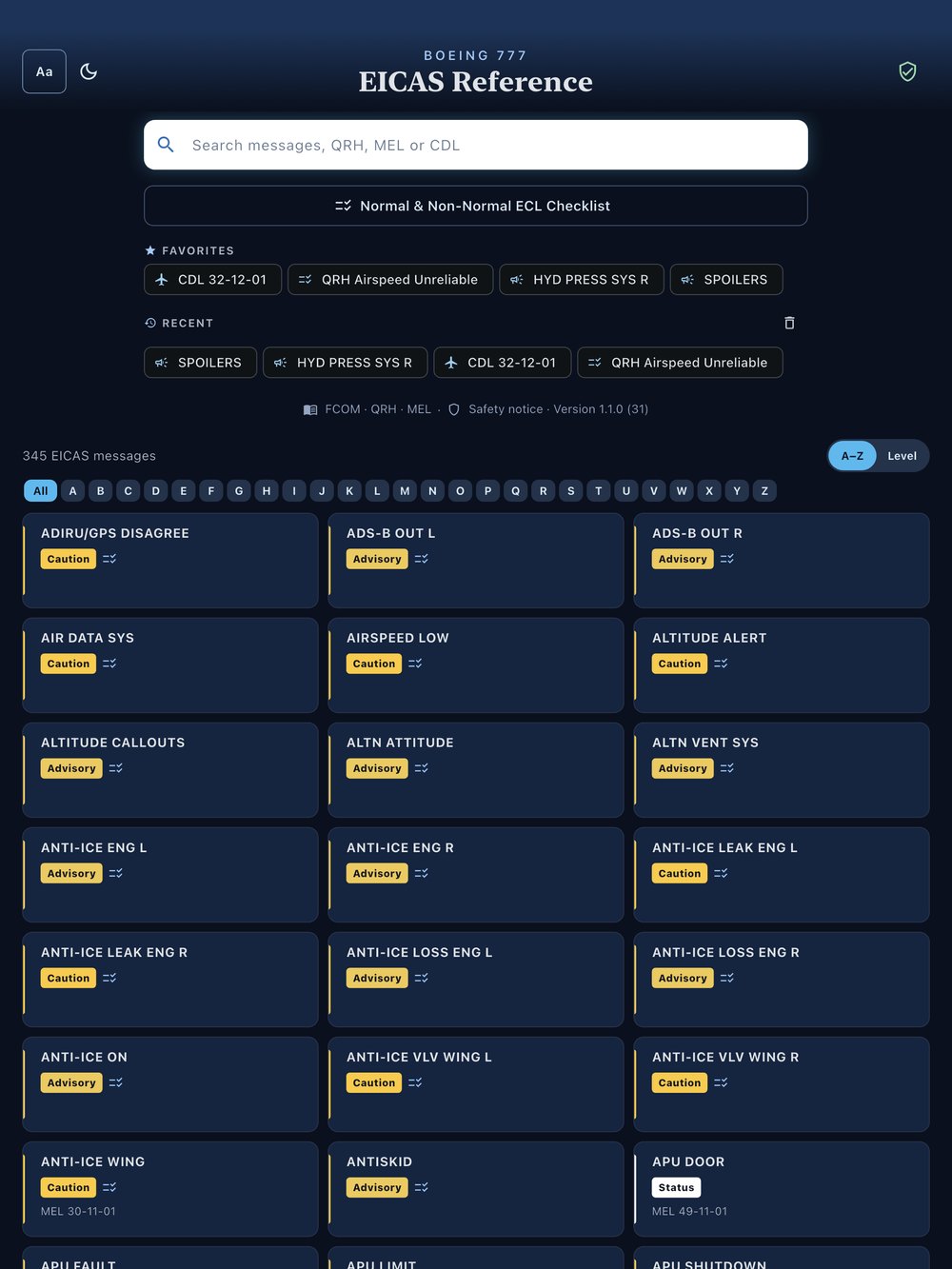
Every EICAS message, one search
Search by EICAS message, MEL or CDL number, or checklist title. Favorites and recently opened items stay one tap away.
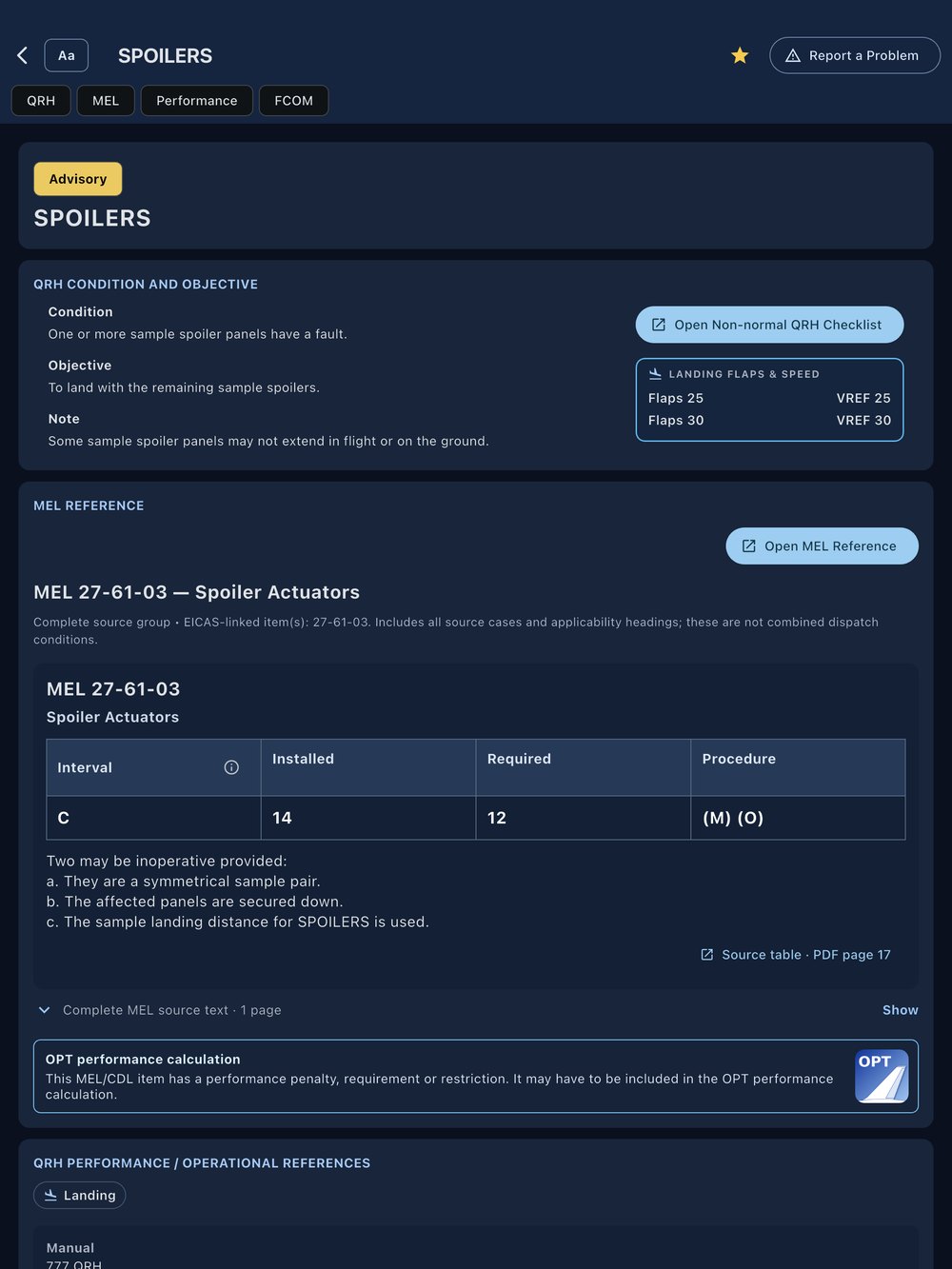
Each message with its QRH and MEL
Condition, objective, notes, cautions and warnings from your QRH, with the landing flaps and speed and the linked MEL items on the same page. A jump bar takes you to the QRH, MEL, Performance, FCTM or FCOM section.
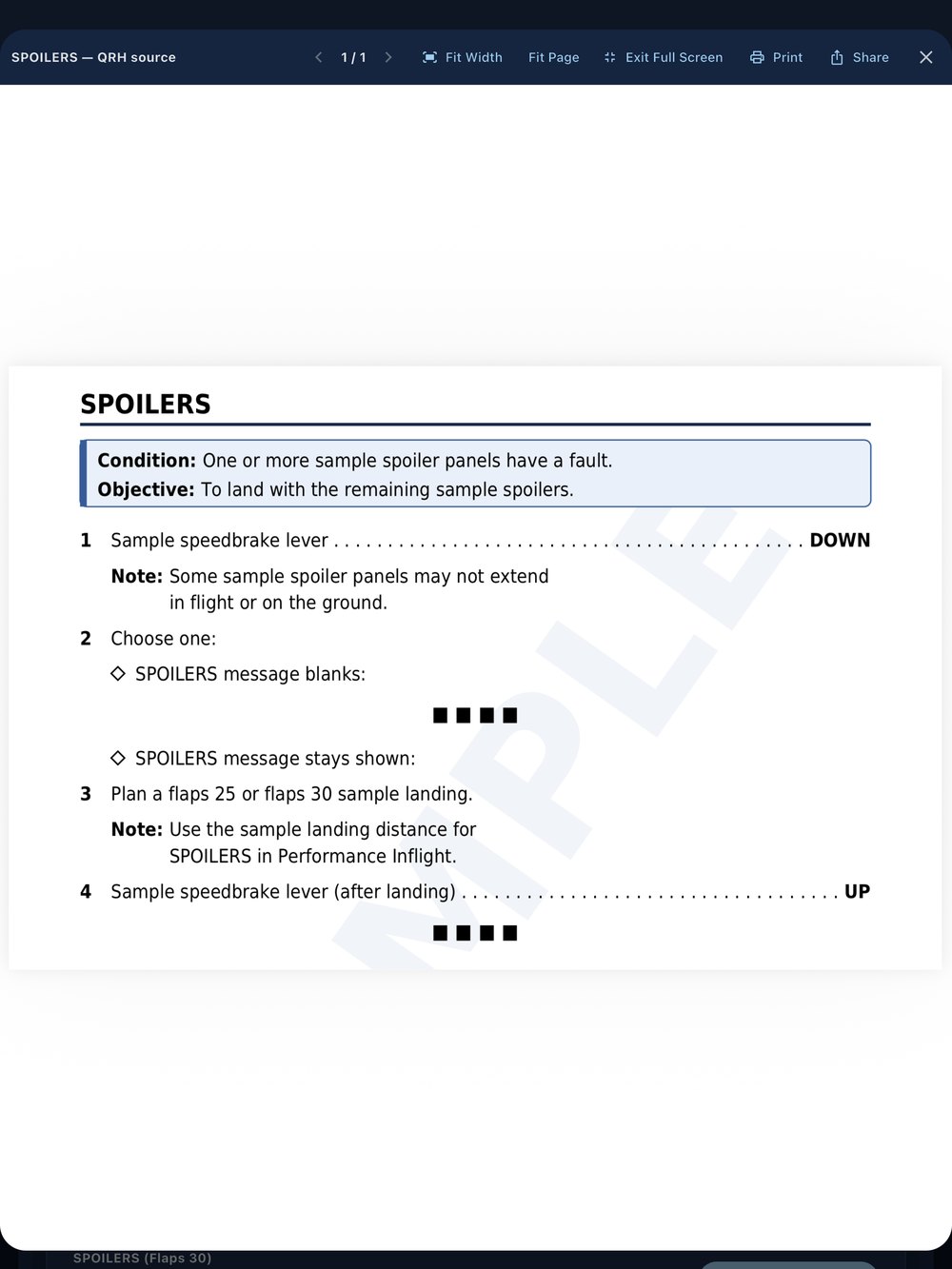
The non-normal checklist from your own QRH
Open the checklist straight from the message. It is cut from your QRH from its heading to its end marker, across every page it runs to.
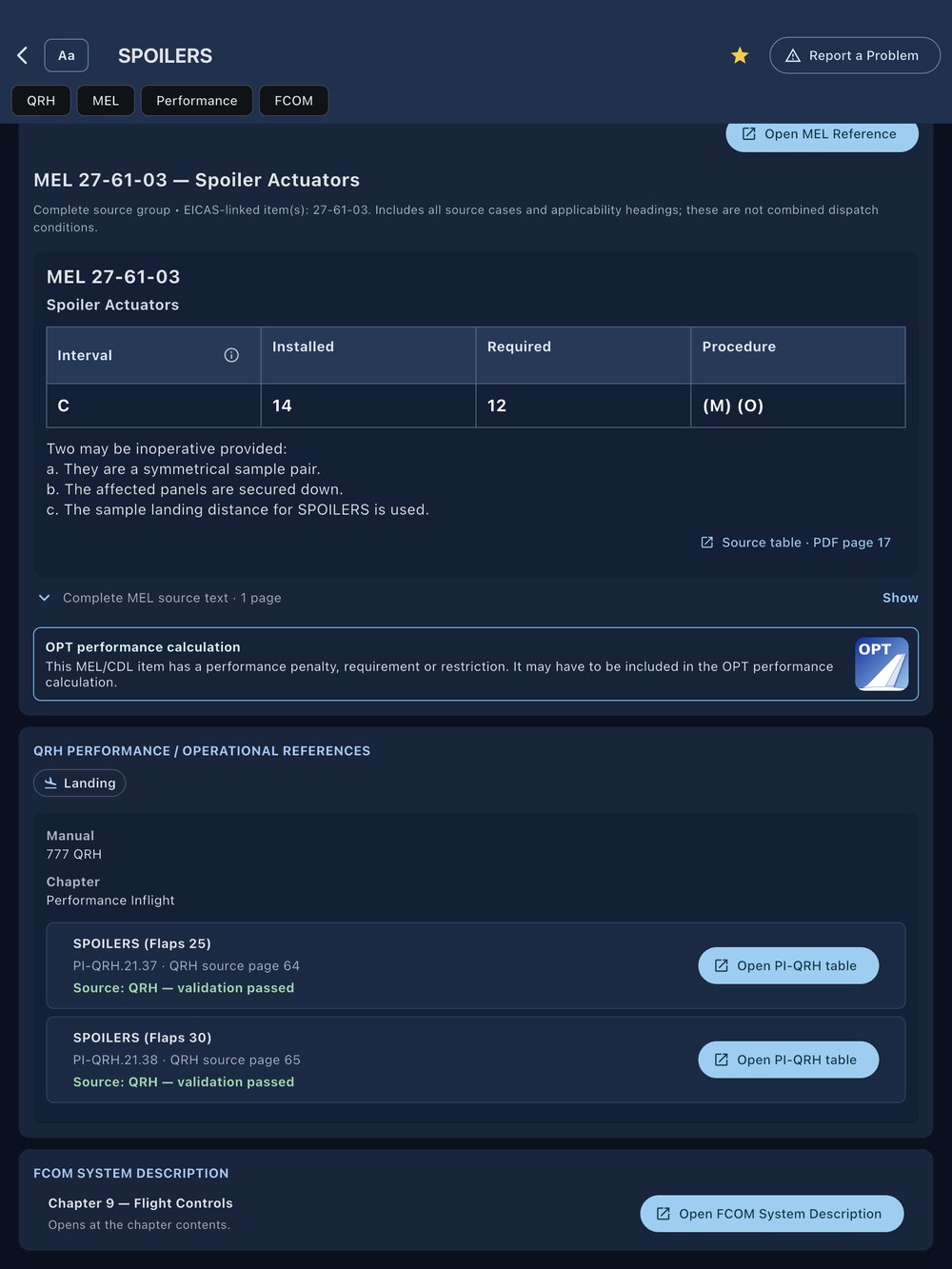
Performance and FCOM, linked to the message
PI-QRH tables, one tap from the message, and the FCOM system description, opened at the matching topic. MEL and CDL items with a performance penalty, requirement or restriction are flagged: they may have to be included in the OPT performance calculation.
New in 1.1: FCTM guidance
Import your FCTM as well, and the chapter 8 Non-Normal Operations guidance appears with the matching EICAS messages, with its section and page reference. One tap opens chapter 8 at that section. The FCTM is optional: everything else works without it.
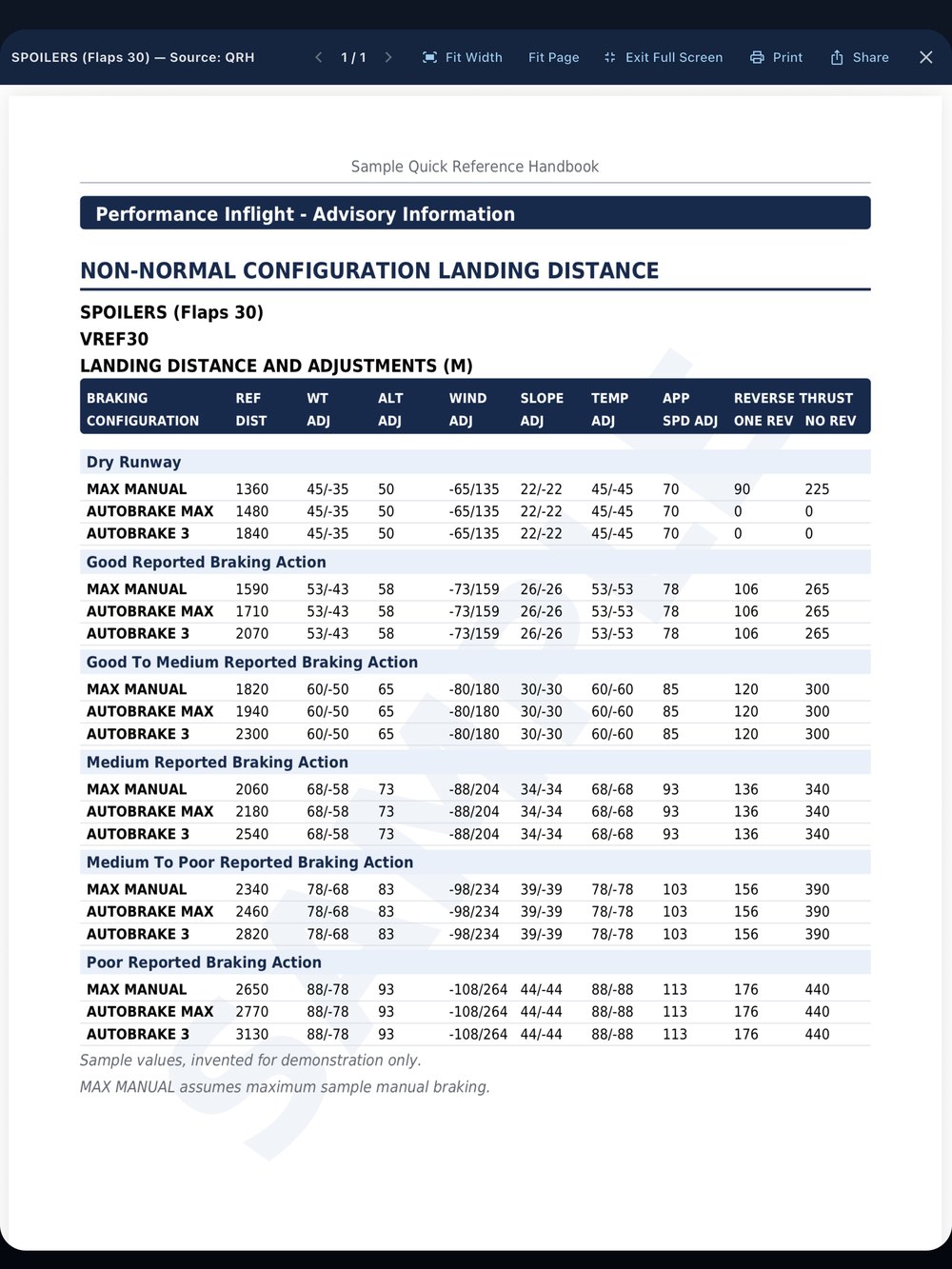
Non-normal landing distance, one tap away
The Performance Inflight landing distance tables for the configuration, read from your QRH.
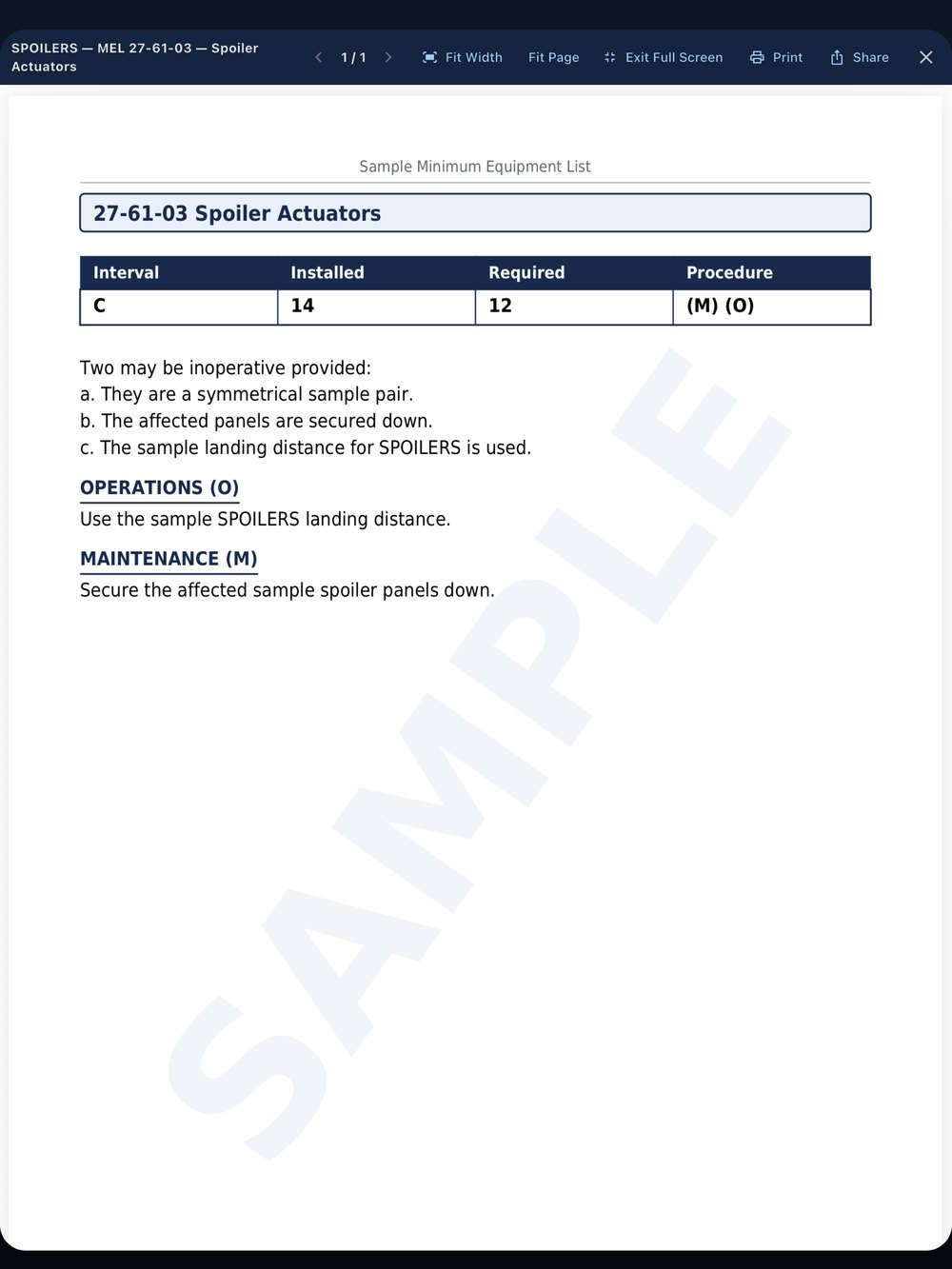
The complete MEL item
Repair interval, number installed and required, and the (M) and (O) procedures, with the item's own pages from your MEL.
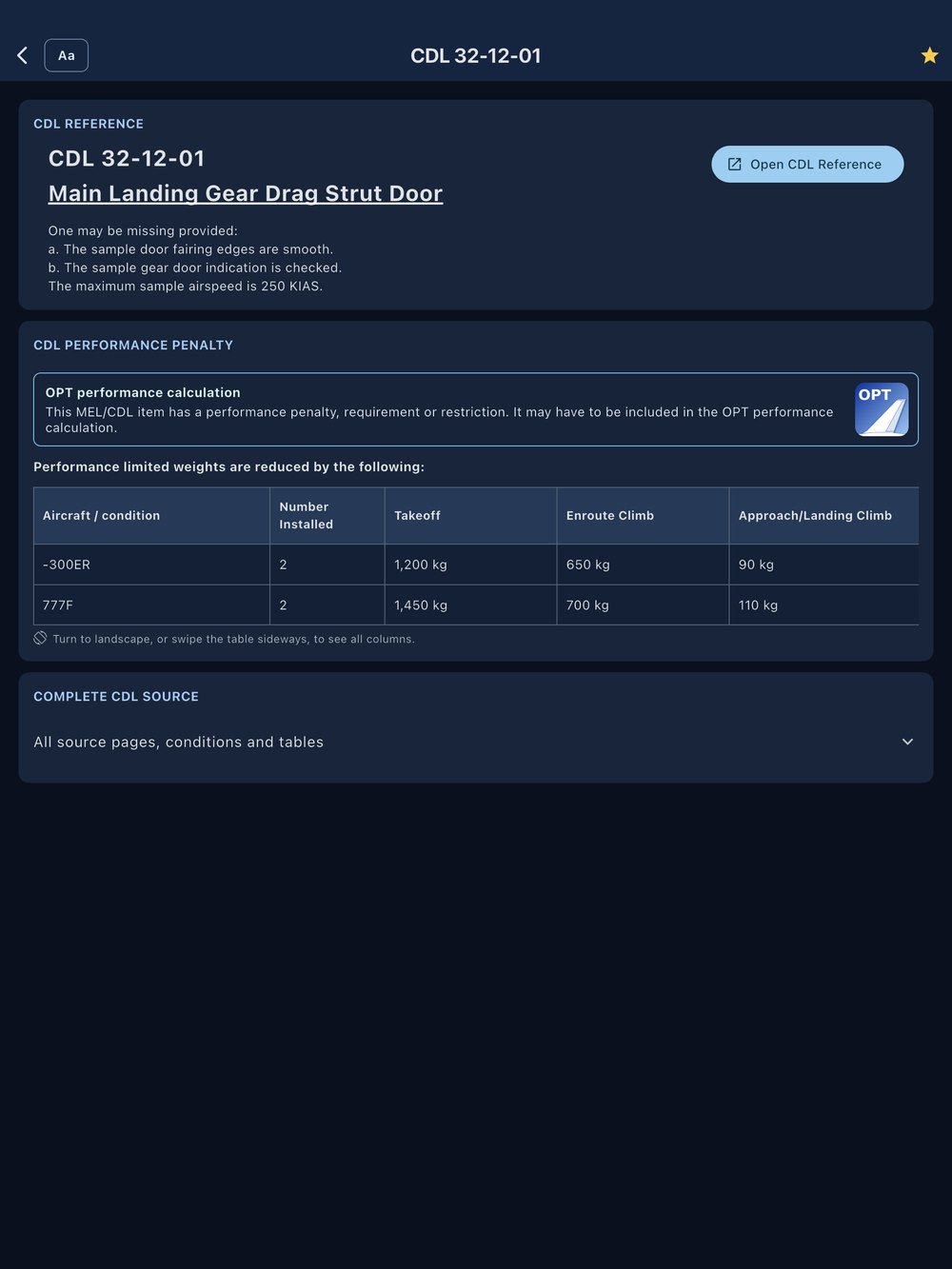
CDL items with their performance penalties
The CDL item with its conditions and performance penalties by model, and the item's pages from your CDL or DDG.
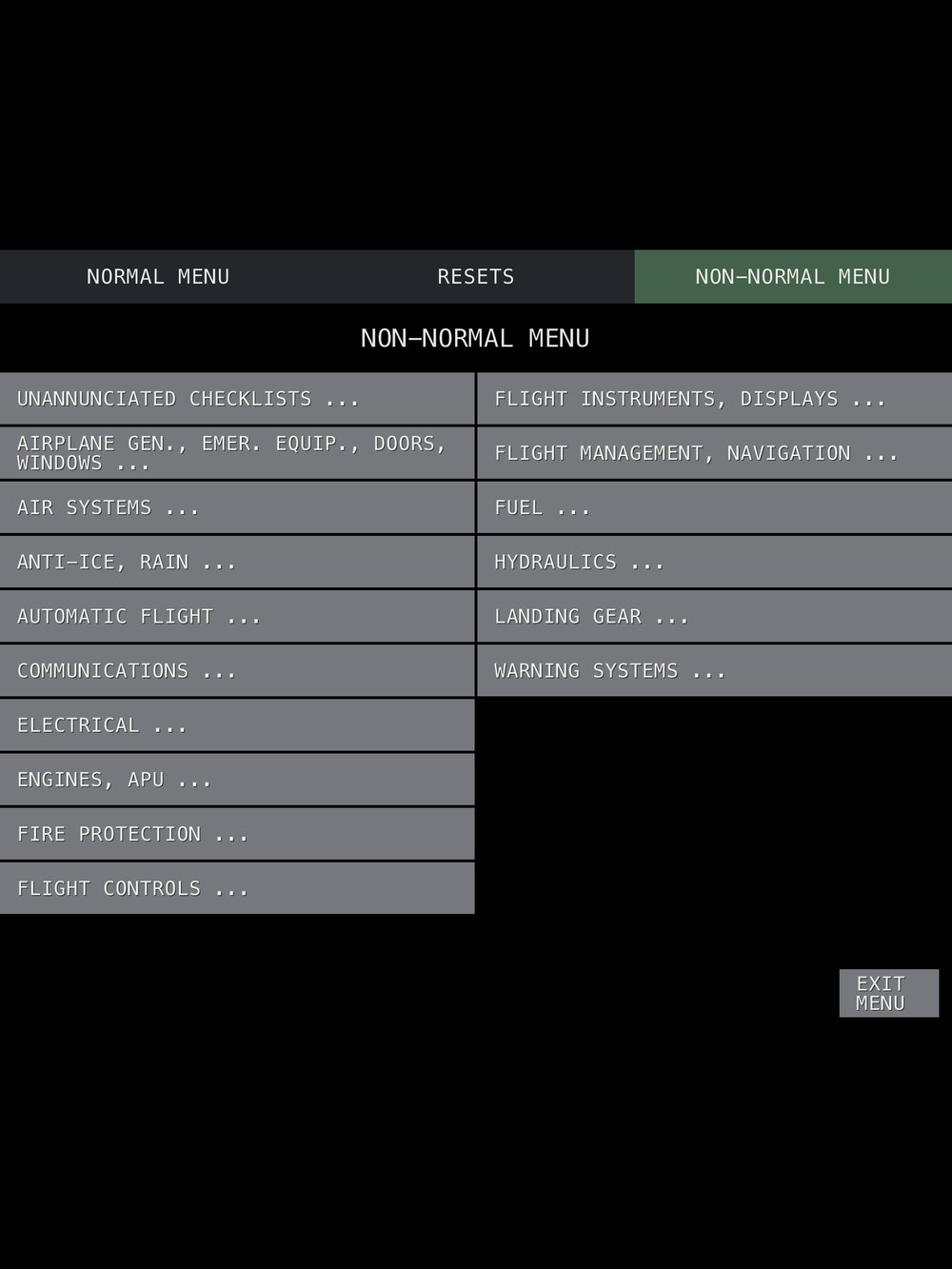
Familiar ECL-style menus
Normal and non-normal checklists by system, in the layout you know from the flight deck.
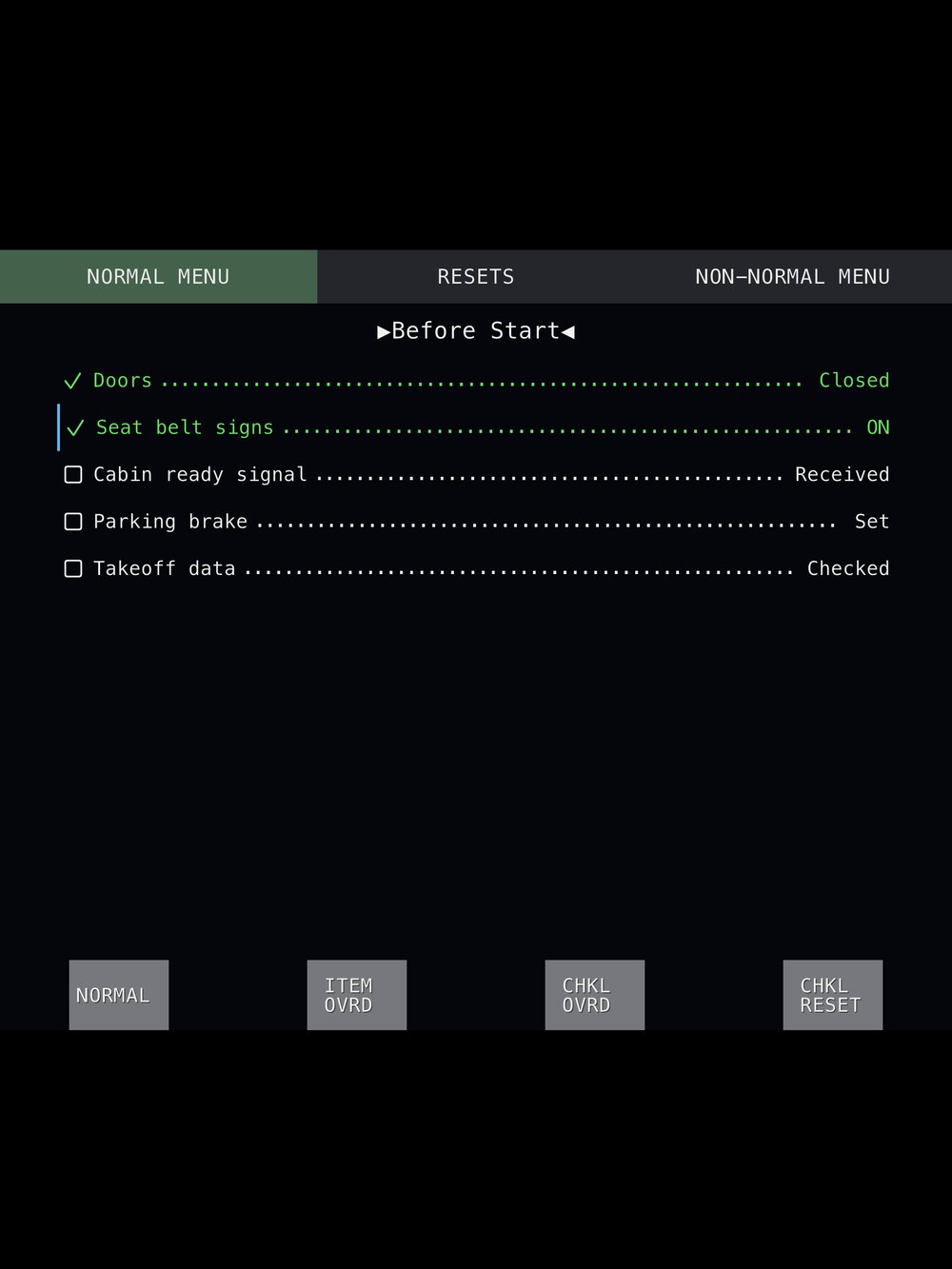
Interactive normal checklists
The normal checklists from your QRH, item by item.
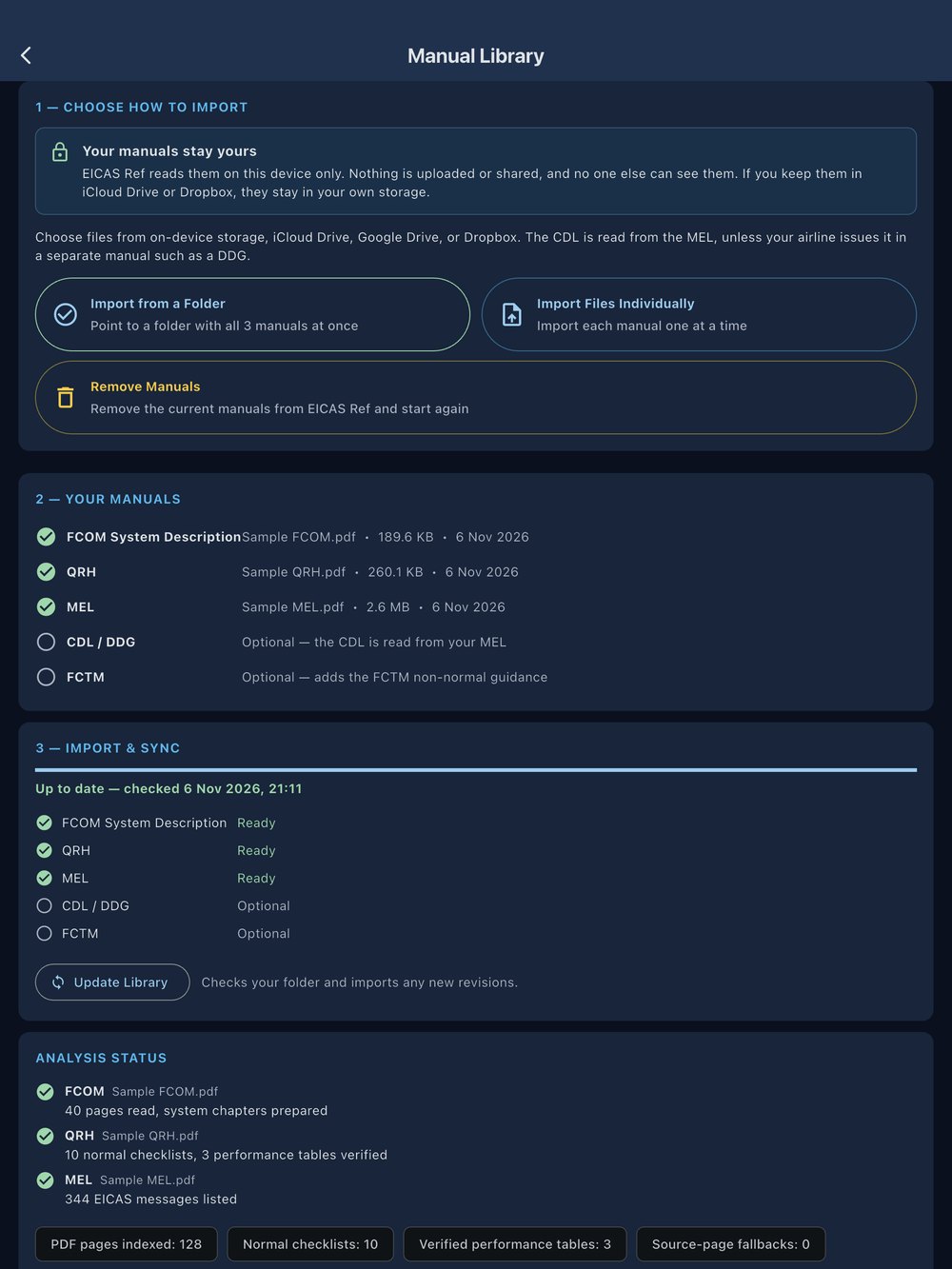
Your manuals. Your device.
Import your own FCOM, QRH and MEL, your CDL / DDG and, if you like, your FCTM, from a folder or single files. EICAS Ref reads them on your device only: nothing is uploaded or shared, no one else can see them, and the app works offline. After importing, it shows what it found in each manual.
Getting started
Choose the folder that holds your FCOM, QRH and MEL (and the CDL / DDG if your operator keeps it separately, and your FCTM if you have it), or the files one by one, and tap Import manuals. The import summary shows what was found in each manual. Your manuals are read on your device and never uploaded.
New revision
Put the new file in the same folder (or choose it on the Library page) and tap Update Library.
New device
EICAS Ref is a one-time purchase: download it again from the App Store with the same Apple Account, then import your manuals on the new device.
Which aircraft does it work with?
All Boeing EICAS aircraft: the 747, 757, 767, 777 and 787. It has been tested with 757, 767 and 777 manuals so far. Operators' manuals differ: if yours don't import correctly, use Report a problem in the app or email us, and support for them will be added.
Does it include any manuals?
No. You import the manuals your company gives you. EICAS Ref reads them on your device only: nothing is sent to us.
Does it work offline?
Yes, once your manuals are imported.
Refunds
Purchases are handled by Apple. To request a refund, go to https://reportaproblem.apple.com
Contact
Questions, problems or ideas: EicasRef@gmail.com. In the app, “Report a problem” on an EICAS message fills in the app version and message for you. Thank you for every report: it makes the app better for every pilot.
Important
EICAS Ref is an independent study and reference tool. It is not an approved operational document, and it is not affiliated with or endorsed by Boeing or any airline. Always use your company's current approved manuals.
Screens show fictional sample manuals.